A voice interface has to listen and respond at the pace of a conversation. A technically correct answer can still feel unusable if it arrives too late, talks over the user, or fails to stop when interrupted. Designing a voice agent therefore requires attention to timing, accessibility, and recovery as well as the underlying model.
01Choose the conversation architecture
A voice experience can combine speech recognition, a text model, and speech synthesis, or use a model that processes audio more directly. Real-time APIs expose session and audio capabilities that vary by model and release. Check current documentation and preview status before depending on a particular feature. [1]
A modular pipeline can make transcripts and individual components easier to inspect. A more integrated system may handle some conversational details differently. Compare them on the intended use case rather than assuming one approach always has lower latency or higher quality.
02Make the microphone state obvious
Browser microphone access requires user permission and the appropriate security context. The interface should clearly show when it is listening, processing, speaking, muted, or disconnected. A permission denial needs a useful alternative instead of a dead-end animation. [2]
Request microphone access when a person chooses the voice feature. Explain what is sent to a service and whether recordings are retained. Avoid making a quiet microphone indicator the only evidence of active capture, especially on a small screen where controls can be easy to miss.
03Design for interruptions and corrections
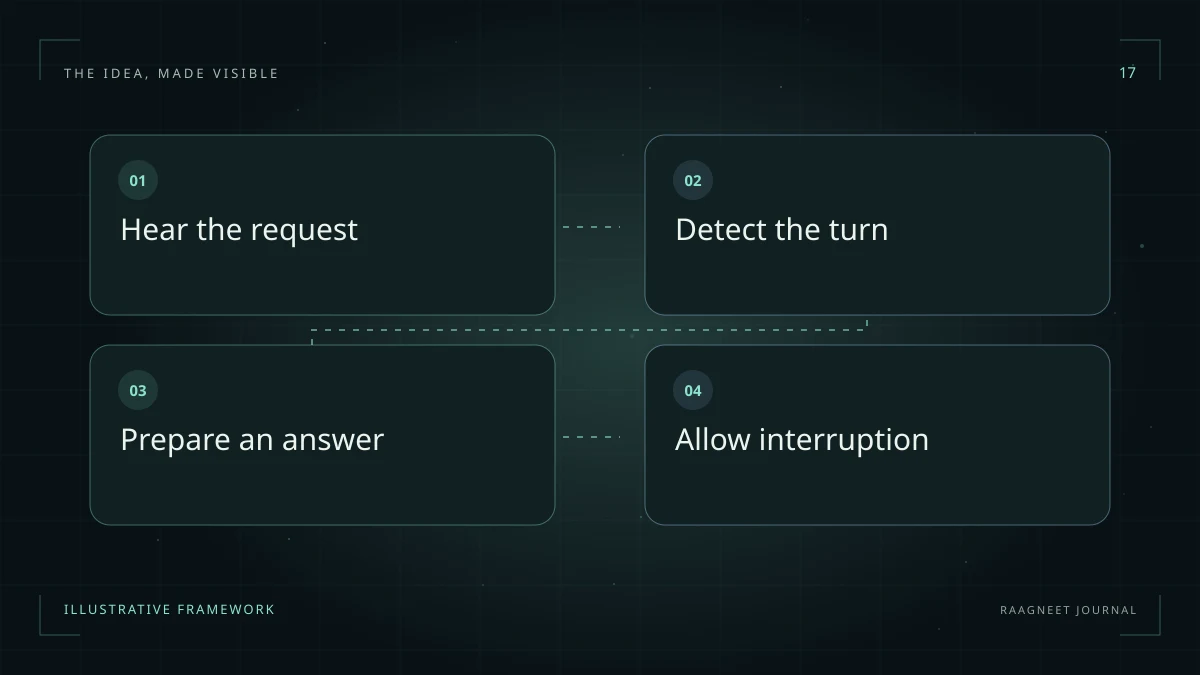
People pause, change their minds, and interrupt. Voice activity detection can help identify speech boundaries, but the product still needs a policy for stopping generated audio, preserving partial context, and responding to a correction. Test the behaviour rather than inferring it from a transcript.
For an illustrative appointment assistant, read back important details such as the date and location before a booking action. If the user interrupts with a corrected date, cancel the old action and confirm the revised details. Do not let an unfinished spoken sentence commit a business operation.
04Test the complete latency budget
Measure capture, network transfer, processing, first audio, and playback. Try the system on ordinary mobile connections and devices with realistic background noise. Keep median behaviour and slower cases visible, because occasional long pauses can make a conversation feel unreliable.
Include accents, quiet speakers, overlapping speech, silence, and a lost connection in the test set. Let the user repeat or type a critical detail. A graceful clarification is preferable to confidently acting on a name or number the system heard incorrectly.
05Keep a non-voice route available
Provide transcripts or text responses when appropriate, and make every essential action available through an accessible control. Voice is not convenient or possible for everyone in every environment. A person on public transport should be able to continue without speaking aloud.
Offer a visible end-session action and clean up audio resources when it is used. Keep API credentials on the server or use the provider's supported short-lived client authorisation pattern. A good voice agent makes its state, limits, and next action easy to understand throughout the conversation.
Common questions
What is barge-in in a voice interface?
It is the ability for a user to interrupt while the agent is speaking. The application needs to stop playback and reconcile the conversation state, not merely detect new audio.
Does a voice agent need a text alternative?
A text route is strongly useful for accessibility, noisy places, microphone denial, and exact details such as codes or addresses. It also helps people recover from recognition errors.
Sources & further reading
Primary documentation and further reading are linked below. Examples and decision frameworks are illustrative; product capabilities can change.
Created with AI assistance for the RaagNeet Journal. This guide does not claim original product testing or benchmark results. Original illustrations by RaagNeet. Send a correction.