Multimodal AI can work with more than one kind of input, such as text and images or speech and video. That opens useful workflows beyond a chat box: describing a product photo, helping inspect a screenshot, or turning a spoken request into a draft task. The right design begins with what the input can actually prove.
01Understand the supported modalities
A multimodal model can combine information across supported input types. Capabilities vary by model and variant. For example, a model family can include a small text-only option alongside larger variants with image understanding. The family name alone is not enough to choose an implementation. [1]
In an illustrative ecommerce workflow, a model might draft alt text from a product image. It can describe visible features, but it should not infer an unshown material, safety certification, or exact measurement. Those details require an approved product record.
02Use real-time inputs with realistic expectations
Live multimodal systems can process streams, but streaming introduces session state, timing, interruptions, and network considerations. Check current API availability and preview status before committing a product experience to a particular capability. A recorded demo does not establish how it behaves on a customer's connection. [2]
Keep the initial use case narrow. A voice note that becomes a task draft is easier to verify than an assistant that autonomously interprets a video meeting and updates multiple business systems. Preserve the original recording only when necessary and permitted.
03Design a workflow with visible evidence
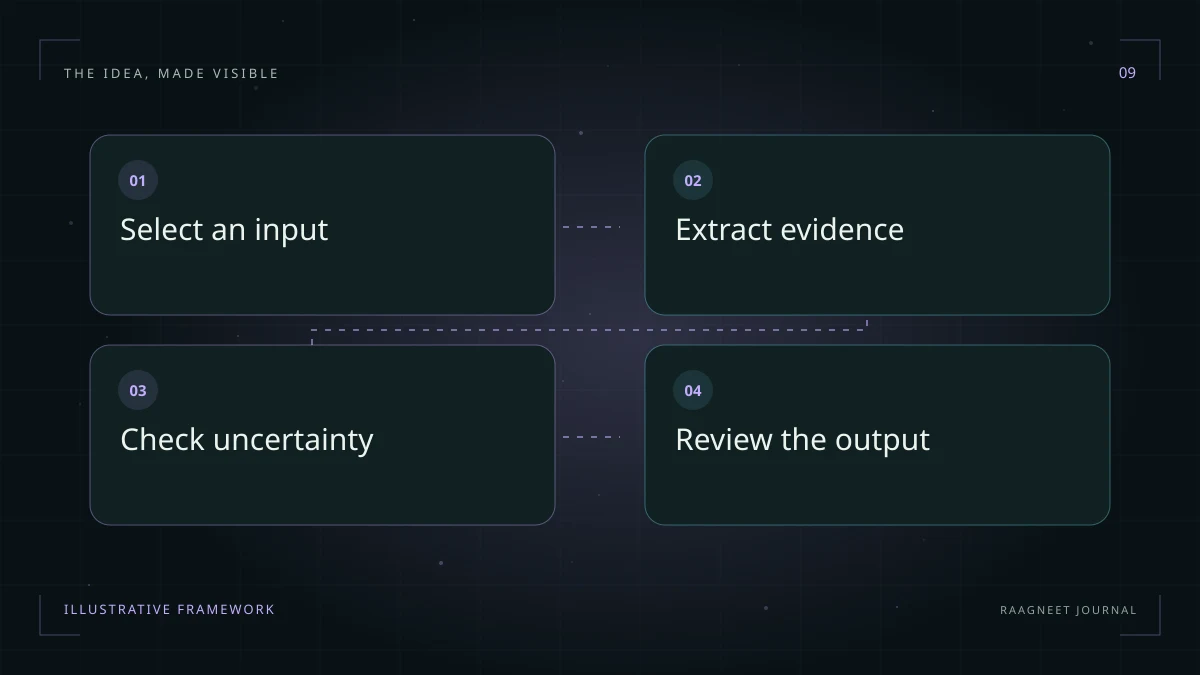
Show the source image, relevant crop, or transcript alongside the generated result. Allow a reviewer to correct named entities and ambiguous details. If a model extracts a serial number from a photograph, check its format and ask for confirmation when the image is blurry.
Define what should happen when the model cannot read the input. A request for a clearer image is a useful outcome. Inventing missing text to complete a tidy-looking record is a failure. Put validation checks around the fields that drive later actions.
04Evaluate more than attractive examples
Test low light, glare, rotated documents, small text, accents, background noise, and unsupported file types where relevant. Include examples where the correct result is uncertainty. Compare outputs against human-labelled references and keep the model and preprocessing configuration with each result.
Avoid making business claims from a vendor benchmark that uses a different task. Your product may have constraints the benchmark does not capture, such as a small mobile camera, compressed uploads, or industry-specific vocabulary. Representative inputs are more valuable than an impressive general score.
05Keep the experience understandable
Explain what the feature reads, what it produces, and which steps require confirmation. Provide a text alternative when someone cannot use a microphone or camera. Make upload progress, retry states, and file limits clear before a user invests time.
Multimodal AI is most useful when it reduces a specific friction while keeping the evidence available. Start with an assistive draft or extraction workflow, measure correction effort, and expand only after the system handles the difficult inputs that real customers are likely to provide.
Common questions
Does multimodal mean a model can understand every media type?
No. Check the exact model and endpoint. Text, images, audio, and video support differ, and input support does not necessarily imply the model can generate the same media type.
Can a model verify a fact from a product photo?
It can describe visible evidence, but hidden specifications and authenticity usually need an authoritative record or independent verification. Keep those claims separate from visual descriptions.
Sources & further reading
Primary documentation and further reading are linked below. Examples and decision frameworks are illustrative; product capabilities can change.
Created with AI assistance for the RaagNeet Journal. This guide does not claim original product testing or benchmark results. Original illustrations by RaagNeet. Send a correction.