A website feels fast when its main content appears promptly, controls respond, and the layout stays in place. Core Web Vitals measure these aspects through LCP, INP, and CLS. Improving them starts with understanding what real visitors experience on mobile devices, then using lab tools to investigate the specific causes of delay.
01Measure the three distinct problems
Largest Contentful Paint measures when the main visible content appears. Interaction to Next Paint reflects responsiveness to qualifying user interactions. Cumulative Layout Shift tracks unexpected movement. Current good thresholds are 2.5 seconds, 200 milliseconds, and 0.1 respectively, assessed at the 75th percentile of visits. [1]
A page can perform well on one metric and poorly on another. A quick hero image does not excuse a frozen filter button. Segment mobile and desktop and compare representative page types instead of treating one homepage score as the performance of the entire site.
02Investigate the actual LCP element
LCP optimisation starts by identifying the largest element and the delays before it renders. Server response time, late resource discovery, transfer time, and rendering work can all contribute. Compressing the image will not fix a delay caused mainly by waiting for JavaScript to reveal it. [2]
For an illustrative article page, include the cover image in the initial markup, serve an appropriately sized source, and avoid lazy loading the likely LCP image. Reserve lazy loading for images further down the page. Give images dimensions so their space is known before they finish downloading.
03Keep interactions responsive
A slow response to a tap can come from long JavaScript tasks, expensive event handlers, or rendering a large update. Profile the interaction that users actually perform. Search, menus, form validation, and filters often matter more than a synthetic animation running without any user input.
Break up unnecessary work, reduce client dependencies, and avoid updating large trees when a small result list changes. Use workers where appropriate for expensive computations. A debounce can reduce repeated search work, but it should not become a substitute for understanding a blocked main thread.
04Stop content from jumping
Reserve space for images, embeds, advertisements, and dynamic banners. Avoid inserting content above something a person is reading unless their action clearly calls for it. Keep font loading and fallback metrics in mind so a late typeface does not create a large reflow.
Test the page with slow resource loading and real content lengths. A layout that appears stable with short placeholder text may shift when an actual title wraps onto three lines. Check mobile browser controls and sticky navigation too, because they can change the usable viewport.
05Turn findings into a maintained budget
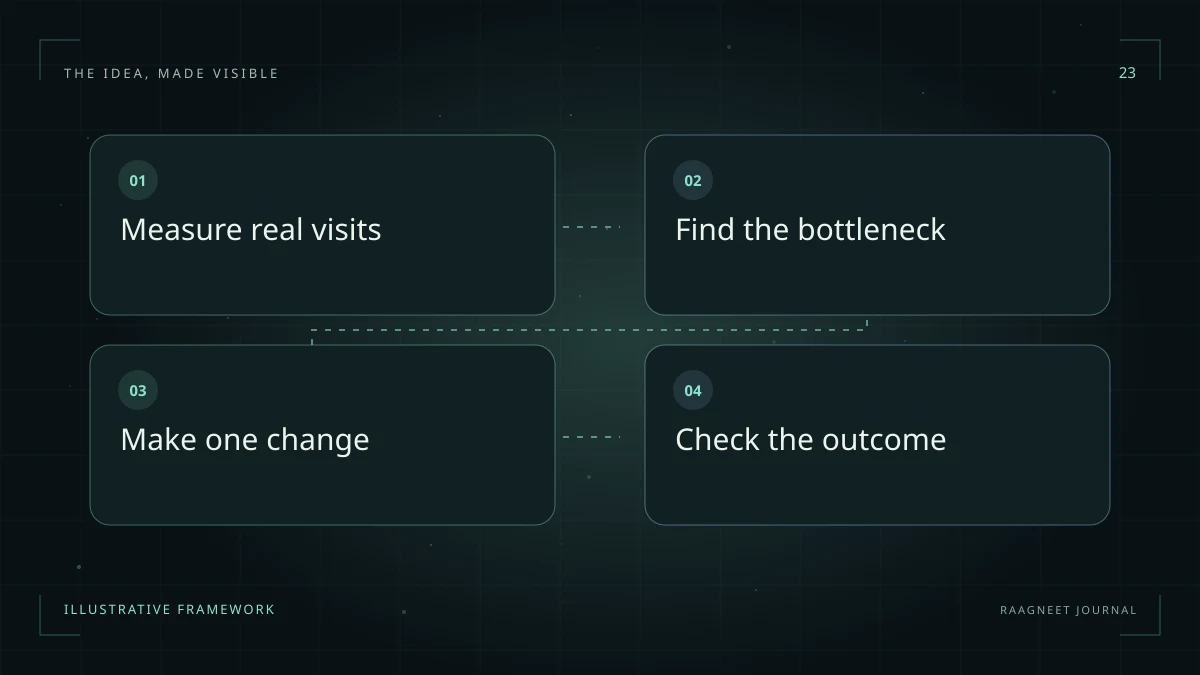
Use field measurements from Search Console, CrUX where available, or an appropriate real-user monitoring setup. Lab tools help reproduce and diagnose failures but do not represent every device or network. A newly published site may need time and traffic before field data is available.
Keep a small performance budget for images, JavaScript, and third-party scripts. Recheck after meaningful changes and prioritise the bottleneck affecting users. Passing Core Web Vitals supports a good experience, but it does not guarantee a search ranking or replace useful content.
Common questions
Does a perfect Lighthouse score guarantee good field performance?
No. Lighthouse is a lab measurement under specific conditions. Real visitors use varied devices and networks, so field data can differ substantially.
Are Core Web Vitals the only thing Google ranks?
No. They are useful experience metrics, but rankings depend on many factors. Relevant, reliable content and a technically accessible site still matter.
Sources & further reading
Primary documentation and further reading are linked below. Examples and decision frameworks are illustrative; product capabilities can change.
- web.dev: Web Vitals definitions and thresholds
- web.dev: Optimise Largest Contentful Paint
- web.dev: Optimise Interaction to Next Paint
Created with AI assistance for the RaagNeet Journal. This guide does not claim original product testing or benchmark results. Original illustrations by RaagNeet. Send a correction.