Running a language model on your own laptop can make experimentation more accessible and give you more control over where inference happens. The experience depends on model size, memory, quantization, and the task. A model that produces a quick demonstration may still struggle with a long document or several simultaneous requests.
01What a smaller model can do
Lightweight model families offer several sizes and capability combinations. Some variants accept text only; others support images. A family name does not establish that every variant has the same modalities, context capacity, or hardware requirements. Read the exact model card and license before downloading. [1]
For a first experiment, use a bounded task such as turning your own meeting notes into action items. That is easier to judge than asking the model broad factual questions without sources. Keep the input small enough to inspect the result closely.
02Understand weights, adapters, and quantization
A model's parameter count is only part of its memory footprint. Quantized weights use lower-precision representations to reduce storage and memory needs. Runtime buffers and the attention cache add further requirements, especially as the context grows. A published download size is not a complete estimate of working memory. [2]
Quantization is a tradeoff worth testing on your task. Evaluate whether names, numerical details, and formatting remain acceptable. Comparing two quantizations on one prompt cannot establish a universal winner, but a representative set of your own documents can support a practical decision.
03Set up a repeatable experiment
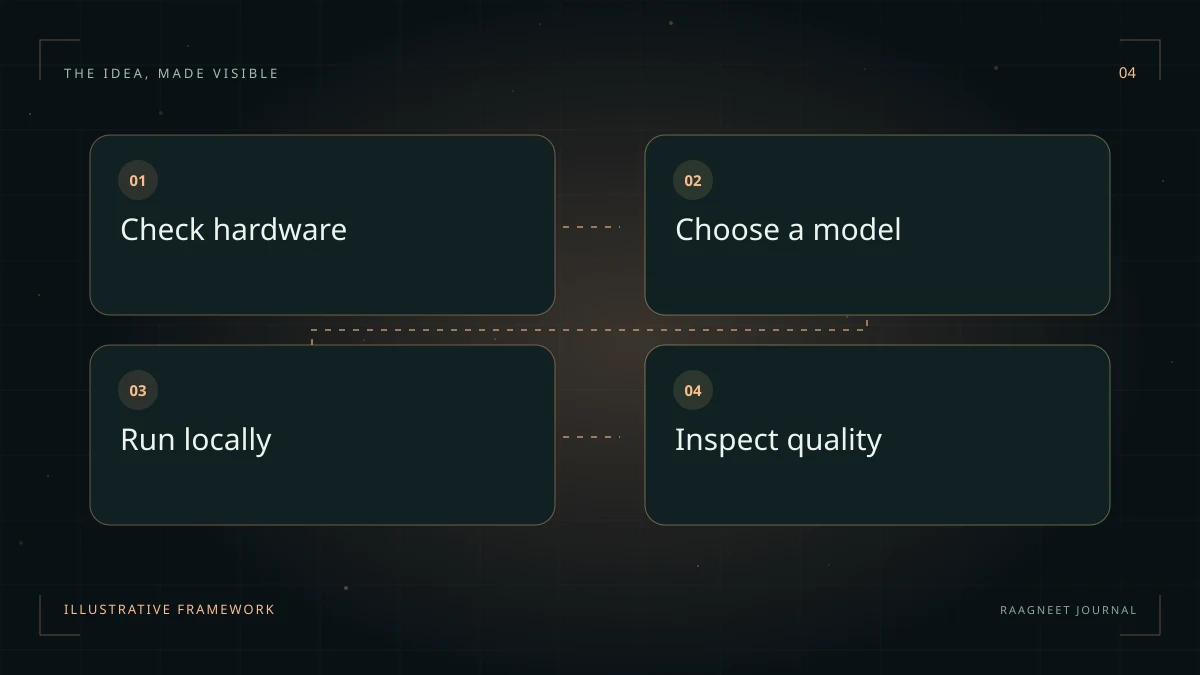
Choose a maintained inference runtime and follow its current installation instructions for your operating system. Record the model identifier, revision, quantization, prompt, context settings, and runtime version. Keep those details with your evaluation results so a later update can be compared fairly.
Try an easy input, a long input, an ambiguous instruction, and a case where the answer is absent. Observe time to first output, completion time, memory pressure, and whether the laptop becomes uncomfortable to use for other work. These are useful product constraints, not just benchmark curiosities.
04Check the privacy boundary
Local inference means the model computation happens on your machine in the chosen configuration. It does not automatically prove that the interface, plugins, telemetry, cloud fallback, backups, or downloaded extensions never send data elsewhere. Inspect settings and network behaviour before using sensitive information.
Keep any local API bound to an appropriate interface and avoid exposing it to the internet without authentication. Treat model files and runtimes like other software dependencies: obtain them from a trusted source, check licenses, and keep the serving application updated.
05Decide when to keep a cloud option
A local model may be sufficient for drafts, offline summaries, or narrow extraction. A hosted model may be more practical for difficult reasoning, high concurrency, or hardware you cannot maintain. A hybrid system can route some tasks locally and request explicit permission before sending selected data to a remote service.
Make the route understandable to users. A local-first label should not hide an automatic cloud fallback. Choose the arrangement that meets the actual quality, latency, privacy, and maintenance requirements, and document what happens when the chosen model cannot answer reliably.
Common questions
Can every laptop run a useful local model?
Many can run a small model, but useful speed and quality depend on available memory, hardware acceleration, context length, and task complexity. Test the exact model on the intended device.
Does local AI guarantee privacy?
No. Local inference is one boundary. The application, plugins, logs, syncing, and any cloud features must also be checked before making a privacy claim.
Sources & further reading
Primary documentation and further reading are linked below. Examples and decision frameworks are illustrative; product capabilities can change.
Created with AI assistance for the RaagNeet Journal. This guide does not claim original product testing or benchmark results. Original illustrations by RaagNeet. Send a correction.