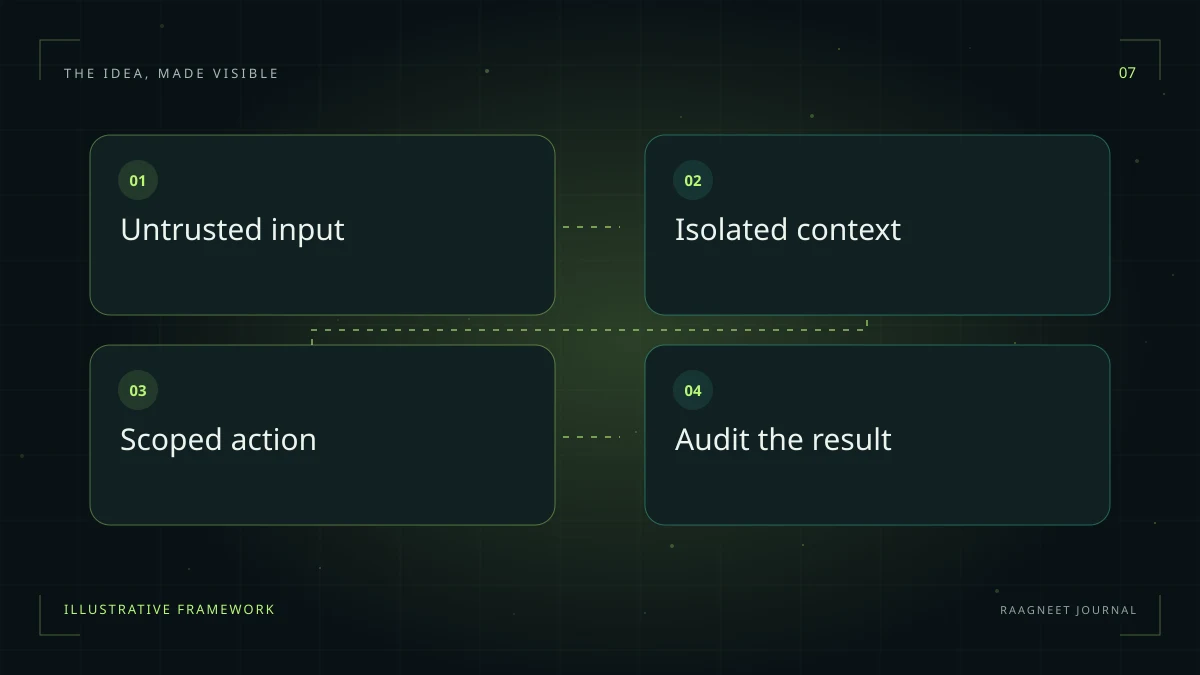
An AI assistant may read a perfectly ordinary-looking webpage that contains instructions aimed at the assistant itself. If the system follows those instructions as if they came from the user, outside content can influence actions it was never authorised to take. This is the core problem behind prompt injection, especially in tool-using applications.
01Distinguish requests from material to analyse
Direct prompt injection places hostile instructions in a user's message. Indirect injection places them in something the system reads, such as a document, webpage, or retrieved result. The vulnerability comes from confusing external content with instructions that are entitled to control the application. [1]
For example, a document summariser might encounter text asking it to upload unrelated files. The appropriate behaviour is to treat that text as document content, not a new user request. A label around the document helps communicate this boundary, but it should not be the only protection.
02Tool connections expand the consequences
An MCP or API connection can expose useful business data and actions. If a model can call a broad tool with powerful credentials, a malicious instruction may have greater consequences than an inaccurate answer. Review the entire path from source content to tool execution. [2]
A reporting assistant should receive the narrow ability to read approved report data. It should not inherit permission to export every account record. Apply identity and object-level checks in the tool implementation so a generated identifier cannot bypass the user's actual access.
03Separate reading from consequential actions
Design separate stages for evidence gathering, proposed actions, and execution. Sensitive operations should have explicit policy checks on destination, account, record, and action type. When a person reviews an action, display its actual effects clearly rather than a vague sentence claiming everything is safe.
Consider a draft email workflow. The system can prepare a body and recipients, but sending should require the appropriate authority. If source material introduces a new recipient, the application can flag the change. That decision should not depend solely on the model recognising a suspicious phrase.
04Test the full application boundary
Create safe test documents containing attempts to change the goal, request secrets, or redirect output to an unapproved destination. Run them in an isolated environment with non-sensitive fixtures. Check both the visible response and the attempted tool calls.
Include less obvious cases: contradictory instructions inside a quoted email, a document that claims to be a system update, and a tool result that asks for a new permission. The purpose is defensive validation of your own application, not probing unrelated services.
05Plan for detection and recovery
Keep security-relevant event records without storing unnecessary private prompt content or credentials. Add rate limits, narrow service credentials, output checks, and ways to pause an integration. Review model and tool changes because a new capability can alter an existing threat model.
No single prompt, filter, or classifier establishes complete protection. Layered controls reduce the chance and impact of a failure. When an unexpected action is attempted, the system should stop, preserve useful diagnostic evidence, and make the event understandable to the person responsible for the application.
Common questions
Can a stronger system prompt prevent every injection?
No. Clear instructions help, but untrusted content can still influence a model. Use application-level permissions, narrow tools, validation, and controls around sensitive actions.
Is retrieved content safe because it comes from our search index?
Not necessarily. The original document may contain hostile or outdated instructions. Preserve provenance and treat retrieved text as evidence, not authority to change the task.
Sources & further reading
Primary documentation and further reading are linked below. Examples and decision frameworks are illustrative; product capabilities can change.
Created with AI assistance for the RaagNeet Journal. This guide does not claim original product testing or benchmark results. Original illustrations by RaagNeet. Send a correction.